Urban Terror — browser guide
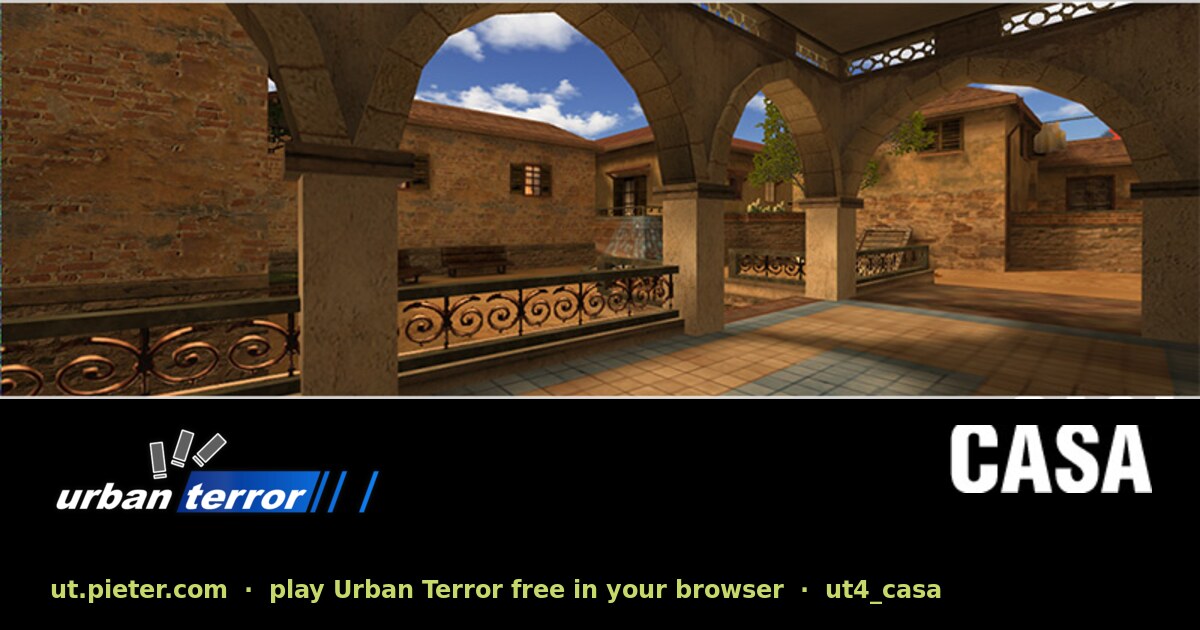
The ut.pieter.com destination is Urban Terror, not Unreal Tournament. Its source names FrozenSand, the ioUrbanTerror WebAssembly engine and multiplayer maps including casa, turnpike, abbey and uptown.
What this project offers
This fan preservation project exposes Urban Terror multiplayer in the browser. The original thread’s abbreviated UT label is ambiguous, but the current destination identifies the game explicitly.
Requirements
- Desktop Chrome is recommended by the source.
- The initial load downloads game data and caches it on the host.
How to start
- Open the Urban Terror host and confirm the project title.
- Use Play and wait for the first resource load.
- Follow the current multiplayer and input settings in the ioUrbanTerror client.
Documented controls
Use the original project’s current control screen. We do not infer keyboard bindings from the retail game.
Project-specific loading notes
- The original game is created and owned by FrozenSand. The browser preservation is unofficial and non-commercial.
- Do not treat this destination as Unreal Tournament merely because the original list used UT.
Common questions
Does UT mean Unreal Tournament here?
No. The linked host identifies itself as Urban Terror and credits FrozenSand.
Where can I find the original game?
The maintainer links urbanterror.info; our source section preserves that original-game reference.
Sources & image credit
Project credits: FrozenSand (original game); pieter.com preservation
- Original project and current instructions
- Original RadiantOpti source thread
- Cover image source — Project-published image
Source review: . Project interface and documentation reviewed; full gameplay not completed